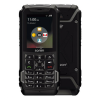
I'm using Sonim XP3 Plus from T-Mobile and it would be greatly appreciated if anyone could come up with a guide on how to remove the browser from it.
Thanks!

I'm using Sonim XP3 Plus from T-Mobile and it would be greatly appreciated if anyone could come up with a guide on how to remove the browser from it.
Thanks!
It's a good point, but I ended up using 'pm uninstall -k --user 0 com.android.browser', and it worked. I'm not sure if it's going to be back if I restart the device.
Thank you anyway.

ilw It shouldn't come back if you restart, it will if you reset. On the xp3 I had a strange issue when I uninstalled the browser, the apps that I put on did not appear in the regular application list, I would've had to add a launcher, so I just used the built in mdm to block the browser instead.
I can confirm that that is not the case with the Plus. I still see the apps without a launcher.
Thank you.
I'd suggest creating a new thread to keep this thread related to its subject. I'll try to answer you there.
ican can kosher it like i did with xp5 i just need 1 to work with

TAG is already filtering the XP3 Plus

Techgen Same here with the apps disappearing.