
Y'all should try that but with the grab binary. Shell script is old news heh
- Flip Phones
Alcatel TCL Flip 2 (T408DL)

lgexalter1 pushed to /data/local/tmp/ and I was in Gflip6_TF:/data/local/tmp #
neutronscott What do you mean? I tried that grab binary with /dev/input/event1 and event2 all it did was show me when a button was pressed, is it supposed to do more?
darth yeah it should do the enable mouse setting with quickdial press when using event1.
I'll make it a proper service and magisk module maybe soon
neutronscott Ok I realized it is working when I used your grab binary, but only while the binary is running, once I stop it/close shell than the mouse activation stops.
Is it possible to have the apps cause the mouse to start? Why does the browser start it? It would be more convenient if we didn't even make a toggle for it rather it would be the default selector in the app similar to the browser?
darth believe services.jar watches for the hardcoded org.chromium.chrome to be in focus. I don't know how to modify the included framework yet. I can modify the class file but haven't gotten it repacked to even try flashing.

neutronscott Yes. I Was actually discussing this with someone Recently. This is why i suggested earlier that you make another apps package org.Chromium.chrome and the cursor should appear. Very likely if you named a launcher, for example list launcher org.chromium.chrome and launched an app the cursor would stay. An issue is that its programmed in the phone that the mouse can only reach certain parts of the screen upon chromium launch, an issue not present with the regular adb Command (i assume)
Biden2020prez Don't think it's so easy though. The entire java package would need renamed. Difficult with anything more than a small project you already have the source to as far as I know.
neutronscott The person I spoke with was able to simply do that on the etalk.

Is it a fast phone? worth buying?
I hate slow phones...
SamFried Yes, pretty decent (especially compared to other alcatels)
Biden2020prez i think you're mistaken on 2 points. A) even the enabled pointer has boundaries and can't reach some parts of the screen. B) the pointer doesn't automatically show up upon opening org.chromium.chrome. only when a tab is opened does the pointer enable. that would seem to be a setting in the app itself, no?
NEC I looked at it briefly myself and agree. Opened up Chromium.apk and it does the same setting in an AccessibilityManager onWindowFocusChanged(): Settings.System.putInt(getContentResolver(), "keyboard_pointer_enable", z ? 1 : 0)
It's probably possible to develop our own application that does this same event handler but enables the mouse for a list of applications.
neutronscott i'm gonna leave that for the people with brains😊
neutronscott i think i can confirm this. i ran adb shell settings list system when the browser was running and keyboard_pointer_enable value was 1. when i reran after the screen turned off it was reset to 0
NEC Interesting. I just assumed that it wasn't limited to parts of the screen, but never tested it. I wonder where that setting is declared, and how hard it would be to change it.
neutronscott how about from pressing a key?
or adding code to the apps themselves? I am asking because people might have a lot of different apps?
Biden2020prez I made a daemon that toggled it by pressing quick dial. Someone said it'd be better if it enabled itself when an app started.
But I'm out of the game again. Broke this phone. I tried patching the preloader. I don't think it was the patch itself but that I started at the wrong offset. There was a 2048 header in my dump vs the edited preloader_raw.bin from the update zip. I assumed fastboot would do the right thing... Oops?
I also thought brom would let me recover but I see no USB activity. Perhaps I need a uart cable to speak serial to the primitive brom.
neutronscott wow! Sorry you cant recover 🙁 . I remember If said it would he nicer to open for apps, i just think he is wrong. (Not in a mean way)
Biden2020prez I wouldn't mind learning enough to make a quick Android app that'd do both. I'm sure it wouldn't take a lot of code to just print a list of apps and a toggle to say auto-start mouse. Plus a toggle to intercept the quickdial/camera button...
But I just donated $20 for an Android kitchen app and have no phone now so priority is low..
Wow! This thread now has more posts than other thread!
neutronscott If you have an option to donate a coffee on GitHub or something like that, then people may be willing to chip in. Especially since so many people are relying on you since they can't do anything themselves.
Hey all...I appreciate the effort everyone has put into this. I've been tracking for a few weeks now and it's cool to see the wizards at work. Is anyone willing to give me a easy step by step flow on how to accomplish this? I haven't rooted a phone in probably 13 years but starting to get back into it. Thanks you.
techy people may be willing to chip in
I've given it some thought and I shared two methods to donate on my flip2 info page: https://san.aq/flip2
purpleicing Is anyone willing to give me a easy step by step flow on how to accomplish this?
I thought a guide was started but perhaps it was removed, I cannot find it. The only part missing from my Rooting instructions are the fastboot/adb tools. To be honest if you're not comfortable you may want to wait a bit longer for when a polished ROM is made.
neutronscott i see you did a remap of the quick dial button to toggle the mouse. how should i run it?
NEC It'll hopefully be packaged up or replaced by something even easier but grab the grab binary from https://scottn.us/downloads/grab
- adb push grab /data/local/tmp
- adb shell
- cd /data/local/tmp
- chmod +x grab
- ./grab /dev/input/event1
you'll need to keep the shell open although you could try (I can't verify until replacement arrives) adb shell "nohup /data/local/tmp/grab /dev/input/event1 &" after which you should be able to unplug and it will run until it is rebooted.
neutronscott Wow! What you did with the phone is nothing compared to what you did with the car! If I Ever need someone to build another universe ill let you know 🙂
After all you did so far, maybe you can top it off by finding the speaker button.
On a more serious note, is it possible on These forums to make it say something other than details in a spoiler?
neutronscott the command to keep even when unplugged didn't work but everything else did. thanks!!

What is the
NEC quick dial button
that you all keep referring to?
I finally got my TCL flip and rooted it. @Biden2020prez do you still want me to try the renaming browser package name or we are past that?
Also anyone have a way to remap the UP directional key to anything useful instead of locked to default tracfone homepage (browser)?
Flippy I haven't tried yet, but I Think its the green call button.
i think past that
Biden2020prez no it's button on the back of the phone.
Oh thats a good button
NEC Wow cool. Mouse seems to be working good for me. More testing needed.
lgexalter1 Anyone up to that? Feels like a waste of a perfectly good shortcut key.
Flippy Also anyone have a way to remap the UP directional key to anything useful instead of locked to default tracfone homepage (browser)?
Yes I looked at this. It would only require making an overlay apk for the Launcher3. It's a resource: <bool name="def_upkey_openmysite">true</bool>
Back in business
neutronscott we can't wait!
neutronscott your github Link isn't working
I tried the instructions at https://github.com/neutronscott/flip2/wiki but i MTKMETA dosent detected it Windows has a notification of a Something-something preloader when i connect it but mtkmeta just hangs at looking for mtk usb device until it times out
roncat my instructions left out the MTK drivers. Did you have those? When you open windows device manager and view hidden devices, does MediaTek PreLoader VCOM show under com ports? Without an error exclamation
neutronscott I had trouble with that originally. I ended up installing one or two and getting it, but can we set the record straight?
Flippy The download link for MTK Drivers is expired. Is this the correct one?
https://mtkusballdriver.com/download/mtk-usb-v1-0-8Once it extracts the folders, which is the correct one to install?
Driver Auto Installer .1524
Driver Auto Installer .1612
Driver Auto Installer .1632
MTK Driver ext
I did mine manually. If you open device manager and say install device, list all, and have disk, then select that folder (or probably just the last one in the list really) it should bring up a few. Then add the preloader vcom.
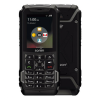
use this code to show apps *#*#217703#*#*
I made a zip (Google Drive link no longer available) with instructions to filter this phone with super pulled from my device without the browser on it. Can someone try it and let me know if its clear/works? (I have done a lot of edits to different parts of my phone and Im not sure what made it into this Super) My phone has had the update. I included ADB and MTKmeta in the zip but didnt include mtk drivers. If someone has a good drivers installer please send it to me at t408dl@gmail.com so I can add it to the zip.
darth It would take an hour to complete the process?
darth Can I try with a phone that I already flashed with the Neutron.img?
Also, what other edits did you do?
Additionally, the link I posted above did work for me after I installed some of the exe's in the subfolders.
Separate point: Does anyone know what the most correct software version of the Alcatel TCL Flip 2 is? (I forgot to check for updates before I rooted it)
lgexalter1 Ok now that i did it, what software version is everybody running?
My filter blocks the website that you download mtkmeta tool from. Can someone put it on google drive?
chaimzalman It takes a while. I started it and left for an hour and it was done when I came back, thats why I wrote an hour.
Flippy I have already done it on my phone which has the Neutron.img, it works. I really want to know what happens when it is installed on a phone without a rooted boot.img.
lgexalter1 Yes it is advisable to have updated to the KEEZ update
ZTEGuy In my zip I posted with my edited Super.img I put in MTKmeta (its a google drive link)