All Discussions
  • Flip Phones
  • Alcatel TCL Flip 2 (T408DL)

Started by darth · Jun 26, 2022 · Page 1 of 26
darth

Update 09/19/20: I have made a thread with custom ROMs and instructions how to install them, located here
Update 09/09/22: @neutronscott Who has done the important work to hack this phone has a wiki with all the important information about this phone. His work can be found HERE,

Update 09/01/22: Thanks to @neutronscott we now have the ability to install apps!

Original Post:

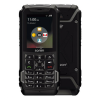
Does anyone have this phone? It looks different than the Alcatel My Flip 2 and the TCL My Flip2. According to Tracfones website it runs Android 11 and has more storage and ram than the My Flip. Is it the same thing or actually a new phone?

Tips about this phone:
Enable ADB: *#*#DEBUG#*#* (*#*#33284#*#*)
Disable Apps with adb:
Browser: adb shell pm disable-user --user 0 org.chromium.chrome
Texting: adb shell pm disable-user --user 0 com.android.mms

Secret Codes:

  • Launcher list all apps: *#*#217703#*#*
  • Barometer Calibration: *#*#1013#*#*
  • Carrier Choose: *#*#22384#*#*
  • Testing Settings *#*#73884647#*#*
  • Enable APN editing: *#*#9663223#*#*

darth

Biden2020prez Same thoughts. Although the Alcatel flip V which was Android for Verizon was significantly better than the KaiOs devices with the same hardware.

Biden2020prez

This may be a stupid question, but how can it be Alcatel and TCL?

sdmde

that is the next lg classic

Biden2020prez

I am very tempted to buy it...

Im assuming I'll buy one. For the record, out of stock on tracfone, in stock on Amazon, and also in stock on total wireless for more expensive

darth

I bought one. Will post back once I receive it and go through it...

Biden2020prez

I wonder if it would have this issue appsphoarflip

(maybe someone can teach me how to properly quote)

darth

Biden2020prez I dont think so. Its supposed to be running an AOSP Android 11 not Android Go.

Biden2020prez

darth From that post I can't tell what @appsphoarflip said

Either: The schok is android 11 go, and all android 11 doesn't include the necessary apis.
Or: The schok is android 11 go, and android 11 go doesn't include etc.

Reifam

appsphoarflip I have the CAT S22 Flip which runs on andriod 11 Go Edition and everything works fine.

Techgen

Reifam You use the mouse? Isn't that phone touchscreen?

darth

I have the phone. *#*#33284#*#* Turns on USB Debugging. After that Im stuck.
I get these errors:
When trying to install apps: Failure [INSTALL_FAILED_INSUFFICIENT_STORAGE: Failed rename]
When I try uninstalling with adb uninstall Failure [DELETE_FAILED_INTERNAL_ERROR]
When I try uninstalling with adb shell pm uninstall --user 0 Failure to remove user owner's system package: com.android.email

darth

I can disable apps: adb shell pm disable-user --user 0 org.chromium.chrome
Disables the browser.

darth

To turn on Developer Options run adb shell settings put global development_settings_enabled 1
The develepor options menu is found in the About phone menu

darth

@sdmde sdmde I have OEM unlocked, can you help me make a fully kosher option for this phone? You can email me directly at t408dl@gmail.com

Biden2020prez

try

settings put secure install_non_market_apps 1.
(how do I put the grey over commands?)

If still not work then **settings put global install_non_market_apps 1

Biden2020prez

When you put a non-Tracfone Sim, does it ask for a unlock code (also do you know whether it asks for one or 2)?

what if you dial #tfunlock#?

Thanks!

Biden2020prez

darth Is that an interchangeable term for root access?

darth

Biden2020prez #tfunlock# works to get to unlock menu.
When I put a non-Tracfone Sim it just has a notification for an invalid Sim.

Biden2020prez click on </> to put in code. That command went through but didnt allow me to install apps. When I press on an apk in the file manager I get the error: "Installation apk is not supported" and when I try installing apps via adb I get the error "Failure [INSTALL_FAILED_INSUFFICIENT_STORAGE: Failed rename]"

Biden2020prez

I wonder if the phone has a package installer, but either way it should work via ADB. I'm assuming you're referring to apps4flip apps (or other modified ones).

Do you do it on webadb? You use the shell, or simply press install apk?

Biden2020prez

darth And if you don't mind telling me how to find these secret codes or at least sending me a link with instructions...

darth

Biden2020prez I use ADB in command prompt. I tried modified apps from a4f and ones that I modified myself (including ones with install location set as preferred external).

Biden2020prez I got the secret codes from these forums. Also this debug code has worked on alcatels for years now, I originally saw it on bananahackers.

Reifam Yes, because that phone has a touch screen. The bug only affects monitors that do not report themselves as touch screens. Because the CAT S22 has a touch screen, the bug doesn't affect it and a virtual mouse would also work.

Biden2020prez

Okay so I assuming there are two codes

Biden2020prez

I got the phone, what command are you using to install apks? I got a much longer error, and it didn't go through. I did
cd storage/self/primary/download which went through, then
pm install filename.apk which gave me
Exception occurred while executing 'install':
java.lang.IllegalArgumentException: Error: Can't open file: 2048.apk
at com.android.server.pm.PackageManagerShellCommand.setParamsSize(PackageManagerShellCommand.java:532)
at com.android.server.pm.PackageManagerShellCommand.doRunInstall(PackageManagerShellCommand.java:1295)
at com.android.server.pm.PackageManagerShellCommand.runInstall(PackageManagerShellCommand.java:1261)
at com.android.server.pm.PackageManagerShellCommand.onCommand(PackageManagerShellCommand.java:186)
at android.os.BasicShellCommandHandler.exec(BasicShellCommandHandler.java:98)
at android.os.ShellCommand.exec(ShellCommand.java:44)
at com.android.server.pm.PackageManagerService.onShellCommand(PackageManagerService.java:22037)
at android.os.Binder.shellCommand(Binder.java:929)
at android.os.Binder.onTransact(Binder.java:813)
at android.content.pm.IPackageManager$Stub.onTransact(IPackageManager.java:4603)
at com.android.server.pm.PackageManagerService.onTransact(PackageManagerService.java:4479)
at android.os.Binder.execTransactInternal(Binder.java:1159)
at android.os.Binder.execTransact(Binder.java:1123)

Is that because the command I used, or because I'm using WebADB

Biden2020prez

also you can go to files by
am start com.android.documentsui/com.android.documentsui.ViewDownloadsActivity

but the okay button won't work so you need to figure out the X and Y of the screen and run input tap x y (which I don't know how to do)

I did list packages and the phone does have a package installer

And Scrcpy for this phone isn't great, maybe try with your mouse

darth

Biden2020prez Im using adb from command prompt with command: adb install -g siddur.apk

Biden2020prez I used that command to go to files and using scrcpy I was able to select an apk file which than prompted the classic android "Do you want to install this application" but when I pressed on install it starts loading than says "App not installed"

Biden2020prez

I did install -g 2048.apk and received back
Needs 1 argument (see "install --help")

So I did install --help and I got
`-d Act like mkdir -p
-D Create leading directories for DEST
-g Make copy belong to GROUP
-m Set permissions to MODE
-o Make copy belong to USER
-p Preserve timestamps
-s Call "strip -p"
-v Verbose

Tried a bunch of things and nothing worked. Maybe try settings put global set_install_location (path to your sdcard) and then you won't get not enough space error?

darth

Biden2020prez Doesnt help. Im assuming the issue is not a storage issue rather its the last part of the error "failed rename". I think its because of the way they blocked installing apps. @Apps4Flip-Admin Who figured out the workaround for the LG Classic? Where and what should I be looking for to find a workaround?

Biden2020prez

Good luck getting them to tell you. Interestingly in settings > Phone settings > security there is a list of Trusted Sources, and also an option Install From storage, which says not allowed when you click on an APK.

Biden2020prez

Maybe with Root Access we can add trusted sources

darth

Biden2020prez Im pretty sure thats referring to installing trusted source certifacates not apps....

Biden2020prez

Yes, I realized that later

darth

Does anyone here have experience using SP Flash Tool? This phone has a MT6739CH chip and Im trying to download the firmware off the phone but Im having issues with finding/creating the scatter file.

Apps4Flip-Admin

We would love to take a crack at this phone but unfortunately we don't have one yet.

In terms of the software and hardware though how is the quality? Is there any button lag, is the software fluid and fast? How does it compare to an LG Classic or Exalt?

@darth @Biden2020prez

Apps4Flip-Admin

I just had our secretary order 3 of them for our developers. Let's see what we can do.

darth

There is no button lag. When you disable apps the icon disappears and the other ones shift in the grid (unlike the awkward blank space in the classic). Buttons are good and has plastic in between them so you shouldn't have the buckling issue that Ive had with the classic. Has extra buttons which could be utilized if we got button mapper working. I havent actually used the phone as a phone yet but the texting has kt9, I havent found a way to add to the dictionary. Any other specific questions?

Apps4Flip-Admin

Thanks for the response, it sounds like a high quality piece, so once they come and our developers get a crack at it we will see if we can start loading up some kosher apps on it.

Biden2020prez

Apps4Flip-Admin Yeah, it's pretty high quality, maybe even nicer than LG Classic. Charges with USB-C.

darth

Biden2020prez Yes. It seems like it goes into download mode (with volume up) and immediately goes out, judging by the device attached and the device detached pings from my computer.