
Hello! Can anyone advise on how to install Message plus on the Extreme? Ive heard that it can be done. I downloaded the apk and installed it, but it now says that I have to click for permissions and doesn't allow me to do so.
I'm not that tech savvy so please help. Thanks
Installing Message Plus on Kyocera DuraXV Extreme
Ok so I figured how to allow all the permissions and Message Plus is working.
However, I'm having 2 issues.
- The messages arent showing up on the extrenal screen. There seem to be different versions of message plus. not sure if i should have installed a different one.
- also, to make message plus work, I had to make it that default SMS app and disable the regular message app. Now the button that usually is assigned to messages doesn't work. Any way to map it to message plus?
I apologize if this question has been asked before. I searched the forums for a long time and can't find a comprehensible answer.
this is the version of the apk i installed and it works far better than many others i tried.
It is version 6.4.5 I found it in a Veriozn forum addressing this Kyocera model
but i had to set all the permissions manually in developer menu. don't know if that the right way to do it. im not so savvy

rabbims is that the exalt Version of the 6.4.5?
im not sure.
It's version 6.4.5 which is the same version number as the one on the cadence and the duraxv.
It was posted on a Verizon forum where people were complaining about the lack of message plus on the Extreme. Its the only version i tried which seems to be optimized for a flip, and works well, except for this detail. Also its not displaying to the external screen.
I wanted to try to pull the Cadence version off of my friend's phone to see if it's exactly the same.
I can't seem to be able to do it properly.
I used Wedadb and used pm list packages and path and "pull" but it didnt work. If someone could instruct me on the proper commands to pull and extract using webadb i'd really apprciate.
If you have the exalt version of messaenger plus or a different one for he kyocera phones I would appreciate

rabbims You may want to back up your phone and then reset it. That should solve all of your issues, and save you a lot of time.
Not sure what you mean. For some reason, the Extreme comes without message+ installed, just with a lousy SMS app that is extremely limited. That's not enough for my needs.
So far I've managed to download the proper version of message plus (v6.4.5, which is for flips), install it, and set all the proper permissions. It's working fine, except for the external screen and the soft key set for messages. its also only syncing one way (syncs to my iphone which i prefer not to use, but not back from iphone to the flip). I was asking for help with fixing those issues, but they are minor compared to not having a decent messaging app.
If you have any idea how to get the external screen to work id appreciate, can't find any setting for it in any developer menu or app Ive seen so far.

Have you ever seen it working? Is it known to be possible?
I dont know that it is possible.
It SHOULD be possible - the native messaging app displays to external screen, and this exact version of message+ displays to external screen on the Cadence and the Kyocera DuraXV, so why should the Extreme be different? But I havent found anyone who knows how...
I managed to find a different version of message+ that is supposed to be for Kyocera and it so far seems to work slightly more smootly . v6.4.4
https://www.dropbox.com/s/y9pni6bwzsg069n/message%2B%206.4.3%20Kyocera.apk?dl=0
when I open the messaging app, it sometimes takes a moment to refresh. For those seconds the image is unclear and contact names have to refresh, etc. (i think its because for some reason the app doesn't constantly run in the background like it should). Theres a bit of a lag. This "refresh" seems to happen less often and happens more quickly withthis version. It's a hairsbreath of a difference
rabbims in my phone it looks like its the exalt Version, (i have exalt) plz send me a screenshot how the message+ apk looks in file manager on your phone thanks!
I am gaving difficulty uploading the screenshots.
If I have thr right location in file manager, the apk reads
com.verizon.mdm.xvlte
im pretty sure that's the one.
there's also
com.verizon.messaging.vzmsgs
but I think thats the native message app that's not message+
THE_SOMEONE Why the filename? is that enough info to know the version?
I just tried your version, and faced the same issues. Worked fine except for left soft key and outer screen. Then i tried the app version pulled from the kyocera cadence, and I had an issue setting it as default app, as any choice in devloper options of the new app would bring me to its notification setting instead of the default app setting. Is there a different way to set default app, or via adb?
There are 2 ways.
The way Ive been setting the default app is by scrilloing to the end of the developer menu (takes a while) and click on "advanced options". There's a way to set the default apps there. I needed to first disable the native messaging app. That has worked for me, but maybe it's not working with your app.
There's a way to use ADB. I think the command is
settings put secure sms_default_application com.verizon.messaging.vzmsgs
(or whatever the package name is)
please let me know if it works.
Im curious if the Cadence version will work on exterior screen
rabbims That worked to set as default, but still have the same issues as before, message button, and exterior screen dont work
Flippy No just the icon is a way to know it, it could be incorrect sometimes so idk
rabbims Well When you can plz send the screenshot, if you have Computer i can tell you how to send it
THE_SOMEONE Screenshot from the kyocera file manager
https://pasteboard.co/KfBAQQyk2pex.png
I'm still having difficulty uploading image. Interestingly, the icon that Flippy showed doesn't show up in my phone.
I checked on a few other phones, the Exalt version is 6.4.3
Kyocera Cadence and DuraXV phones have v6.4.5
the version I uploaded before is v6.4.4
don't know if that helps - might not be acurate
rabbims take screenshot, transfer to your pc, upload to here
https://pasteboard.co/
and then share the link
What does yours show? blank icon?
theres also another problem vith version 6.4.5 on the dura xv extreme because you cant subscribe to message plus
Subscribing means that all of the messages should show up on your other devices that are signed in. There's a problem with subscribing.
The problem is only oneway, however.
All of the messages from my phone show up on my other device (iphone). I can respond from there. even though I am not "subscribed". But the messages I send from the other phone don't show up on my flip. It's not a critical problem for me. But it's annoying.
Flippy hmmm if thats on kyocera then thats the Exalt Version of message+, The icon on kyocera is a Box, this one is also a box but not a complete Box...
The 3rd one on the list is from a Kyocera. I just pulled it off my Kyocera cadence myself and transferred the file. It is not from the exalt
sure. The links are above but here they are again
v6.4.5
VZMessages.apk
Flippy so if your sure its the kyocera version whats the version Number (like 6.4.4) and i want to make sure i have the kyocera version not exalt so plz send in link from the apk you tested thx! 😄
THE_SOMEONE Sure, here is link
https://ufile.io/bn1tmyfw
Any more info about Message+ on the DuraXV Extreme? Any more info would be helpful. Like does anyone know if anyone has gotten it to work with the messaging key? I know in Lakewood there is a guy that does it, anyone know how well it works?
I gave up. Message+ works so much better on the older Dura XV LTE (e4610) so I just switched to that phone. On the e4610 and the cadence, the messages also show up in little letters on the top of the screen, which wouldn't work on the Extreme.
If someone knows how to make it all work well I'd be thankful too.
Also looking for a way to install messages+ on the E4810, so that it runs like the system app (Shows on back screen, correct notification light, etc.)
I asked and looked around a lot and I have not found anyone who knows how to do that, sorry. Someone said there is someone in Lakewood who knows how but I have not been able to get any more info. If anyone knows, please post info. Thanks
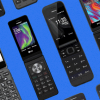

I just found this website today and installed the 6.4.4 version from this thread on my DuraXV Extreme E4810. It works fine for me. I copied the APK through OpenMTP, and then opened the APK on the phone to install it (Dev mode needed to be on to allow unknown sources). When I first opened it it kept crashing right away. I started pressing the middle button repeatedly and quickly each time I opened the app. That would close the crash window and the Message+ permissions request would then show. After a few times of allowing the various permissions, it now runs perfectly as the default messaging app.
It doesn't replace the Messages app. Message+ is located in Settings-Business Tools-Messages+. I set one of the programmable keys to open it.

Flippy I doubt it, he said the regular messages is still there, doesn't seem to be breaking any new ground.
Flippy I'll try to find the link, I'm on a different computer today and the links I see in this thread don't seem to be what I recall. I know the APK had Kyocera in the file name and the app shows v.6.4.4 on the phone - the file name wasn't the generic "VZMessages.apk". It is probably this link b/c the post says 6.4.4, although the file name shows 6.4.3: https://www.dropbox.com/s/y9pni6bwzsg069n/message%2B%206.4.3%20Kyocera.apk?dl=0
Edit: It is this link above^^
I meant it's the default in that new messages go to the Message+ app and not to the old Messages app. Messages doesn't open anymore without crashing. However the right softkey still shows Messages, and Message+ does not show notifications on the outer screen. I mapped Message+ to the Up nav button and use it that way. I believe the LED does blink orange when there's an unread message.

Is there any way to install any other messaging app and have it work like the default messaging, ie. right soft key, notifications, etc.
Doesn't have to be message plus, just something more functional than the current app.