All Discussions
  • Google Maps - Testers Needed

Started by Apps4Flip-Admin · Jul 19, 2021 · Page 1 of 2
BeBrave

Apps4Flip-Admin Nice work! Just tried it on my Sonim xp3, everything seems to work fine.
Haven't tried it on the road yet, but so far, so good.
(I just can't sign in to a account, I guess because that would need a browser...)
Thank you @boruch and @Apps4Flip-Admin Good work! 👍

I tried It on the exalt it works pretty well a little hard to navigate with the mouse over all works very well

Apps4Flip-Admin

Excellent, can you guys confirm that the app is kosher and that no in app browsers work?

It's working very good on the Kyocera

Yms2021 just one problem on the exalt maps cant find my location but on the kycorea cadence it could find my location. Did anyone have the same problem?

BeBrave

Apps4Flip-Admin Didn't find any internal browser.
It also doesn't always find my exact location, but it's close (on xp3).

BeBrave

Also realized that when I press on 'Add a photo' the sign in popup keeps on coming up, and can't get rid of it until I shut the app and reopen.

Apps4Flip-Admin

Thank you all, we will be posting this on the main site!

Anytime I click to start the navigation a window pops up and says I need to agree to the disclaimer about being safe. The app always crashes when I try to click agree. I use the LG Exalt LTE Verizon. Please help

Yms2021
I had the same issue with the exalt

@Apps4Flip-Admin I am using the schok. When I try opening it, screen goes white for about a 1/4 second as if it's about to launch. Then goes back to phone's main menu. Would this possibly be because I needed to uninstall com.google.android.googlequicksearchbox in order to kasher my phone and prevent internet access? Or is this a different problem?

it might be a problem (kashrus wise) if you can access all the photos for any store buisness etc. on google maps

Yms2021 on kyocera cadence when i click on the .apk file in file manager it says "cannot play". Any ideas?

it could use a way to zoom back out, and woud be nice (and this is for waze also) if you could move around the map with the dpad.

ijretro2008

works well On LG Classic Flip so long as you have the mouse installed

Does anyone have any idea why this is not working on the schok? The schok system is basically a smartphone system on a flip phone. It supports Google Play. And being that Waze doesnt work, would really like to get Maps working. Thanks.

dosnt work on schock classic [waze works]

Someone gave me google maps on my classic flip and it works great. Love it. not sure if it's the above link. For the record I could not find it on the main site.

Flippy

Hi the google maps worked excellent until today its saying update required and not letting me get around the popup. Can anyone offer any help? Maybe an updated version?

BORED

can you remove option to view pics (can be inappropriate)

@BORED How did you remove Google Play Services?

Flippy hey. same here. any idea?

syamymsh I tried on th Kyocera its asking to update and wan I tried to update it didn't let me

Biden2020prez

As some of you know, last time I modded Google Maps it was still requiring some Kyocera users to update. Now, I made a new version with even more edits, which I think will work on all phones.

If you want to do me a huge favor, please reply with the model phone you tested it on, and whether it worked or not. If not, what was the issue. I need to know this is working on all models, so please confirm. Thanks!

Both links are the same file.
Download: link 1

Biden2020prez

MXRJR The link is updated. This should install on the exalt. I had a bit of trouble, so you try using the install apk button on webadb, or putting it in your phone's download folder and run pm install -g /sdcard/download/googlemapsa4f.apk

I have gotten Google Maps installed on my Kyocera DuraXV E4610 but I am not getting it to show up in the App Launcher or anywhere else. Is there a fix for that? I was able to see it in the installed apps on my phone but I can't access it.

MXRJR

Biden2020prez The app doesn't work, needs to updated, Lg exalt

MXRJR

Biden2020prez freezes the phone on startup screen, cannot get past startup. lg exalt

Biden2020prez

MXRJR hmmm... That was a bad one I guess. I have too many files I need to find correct one.

MXRJR

Biden2020prez This version also told me needs to be updated, the thing is with google maps I've seen that its a hit or miss for the exalts, some phones I put it on have survived without getting the update screen, but most I think are unfortunately plagued with this update thing. Maybe its something to do with the phones and their differences, let me know if you seen similar patterns. BTW thanks for all ur hard work here, really appreciate you!

Flippy

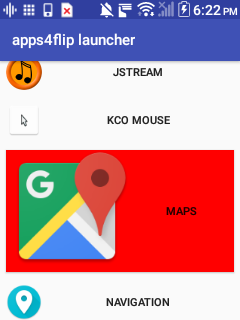
Biden2020prez Thanks. Just tried that one on a Kyocera cadence and so far its looking good. Very happy to have the pointer and the resolution change. Sorry to nitpick, but would you be able to change the icon size to be in line with the other apps4flip apps?

How can I get by the login? It keeps on popping up "take the shortcut" save home and work for faster directions

Biden2020prez

yaakov5 Cant. Because that requires google play services.

Biden2020prez the link is expired, wanna please update it?