
Where do i get the button mapper from, and what are the permission codes for adb? i found it on a website called modified apps or something but i don't know the permission stuff.
Button Mapper

LKWDBochur this is for button mapper and voice access.
adb shell settings put secure enabled_accessibility_services com.android.cts.flar2.homebutton/a.i:com.android.cts.apps.accessibility.voiceaccess/com.google.android.apps.accessibility.voiceaccess.JustSpeakService
adb shell settings put secure accessibility_enabled 1
but then my cursor gets lost
LKWDBochur add : and add the cursor command.
thx, it worked
@Jumptoheaven
@LKWDBochur
Now i have the schok phone with the mouse created for the sonim. Jump, you say the first command is for both the button mapper and voice access. Am i still supposed to run the entire command even if I dont have voice access? And after lkwd said his mouse disappeared, what was the instruction you gave him? Can you pls elaborate a tiny bit? Thanks so much!
anonymousflipphone this starts the first command.
adb shell settings put secure enabled_accessibility_services. add whatever accessibility you're using and add : if using another. Refer to my above post for examples.
@Jumptoheaven @LKWDBochur ok, so I installed the buttonmapper, ran these 2 commands on interactive shell
A-settings put secure enabled_accessibility_services com.android.cts.flar2.homebutton/a.i:com.android.cts.io.github.virresh.matvt
B-settings put secure accessibility_enabled 1
Then lost my cursor. I reran the permissions for the cursor, but lost the permissions for buttonmapper. Am I misunderstanding the instructions? Thanks.
anonymousflipphone when you reran the permissions for the mouse, did you run everything, including "settings put secure enabled...."?
Because you shouldn't have.
@Jumptoheaven Uh..whoops m'bad, I did. How do I rectify that?
anonymousflipphone just rerun everything but just run this command as the only accessibility.
@Jumptoheaven I dunno I tried a rerunning everything a few different times, in different orders, and everytime I run the first command posted above, I lose the mouse, and cannot get it back unless I run the 4th command (4th out of 5 commands posted on the main apps4flip site)-after which I then lose the buttonmapper. Maybe its just my phone....
anonymousflipphone It seems you are using the mouse from apps4flip not the one that is downloaded from virresh so the commands for the mouse and the button mapper is
adb shell settings put secure enabled_accessibility_services com.android.cts.flar2.homebutton/a.i:com.android.cts.appsflipcursor/com.android.cts.appsflipcursor.services.MouseEventService
adb shell settings put secure accessibility_enabled 1
the reason you keep losing the other one is because the commands have to be combined in one long command just seperated by colons
L-B
anonymousflipphone
Or you're using the MATVT mouse from Virresh, but you're using the commands for the apps4flip mouse to start the service?
@L-B
@Jumptoheaven I'm using the mouse from Virresh, modified for Sonim Xp3 posted here: /d/104-mouse-for-sonim-xp3
To get the mouse running, I followed Techgen's advice, "Try the commands on the apps4flip site, just switch every time it says com.android.cts.appsflipcursor change to com.android.cts.io.github.virresh.matvt".
anonymousflipphone try this.
Adb shell pm uninstall -k --user 0 com.lge.voicecommand
adb shell appops set com.android.cts.io.github.virresh.matvt SYSTEM_ALERT_WINDOW allow
adb shell settings put secure accessibility_enabled 1
adb shell settings put secure enabled_accessibility_services com.android.cts.io.github.virresh.matvt/com.android.cts.io.github.virresh.matvt.services.MouseEventService:com.android.cts.flar2.homebutton/a.i
adb shell am startservice com.android.cts.io.github.virresh.matvt/com.android.cts.io.github.virresh.matvt.services.MouseEventService
@Jumptoheaven It worked thank you!!
On the pro version of button mapper(which i do not own) there is something "shell commands". Does that mean one can run commands from phone without a pc??
Jumptoheaven
Error: No UID for com.android.cts.io.github.virresh.matvt in user 0
what do i do
bzk try ignoring the error, and continue running the rest of the commands.
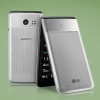
i use button mapper von the lg vn220 it works but i cant add buttons to remap. if someone can help me please reply
koshergood what happens when u try?
if i press the left shortcut key it opens the app i put on that key

when im activating button mapper on the Kyocera the pointer on the browser app vanishes,
when im stopping button mapper it comes back.
does anybody know how i can have both working together?
Jumptoheaven Jumptoheaven how do you add the cursor command what does that mean (i dont konw too much about the workings of ADB)
davestock613
See here. Jumptoheaven
Jumptoheaven how can you include button mapper in this?
SamFried you cant since they both use all the keys (even though they dont really but they take control of all the keys) but you can download the accessibility app from the forms and then toggle between allowing witch one to be accessible and only that one will oparate
davestock613 add : and then add the button mapper accessibility command.